
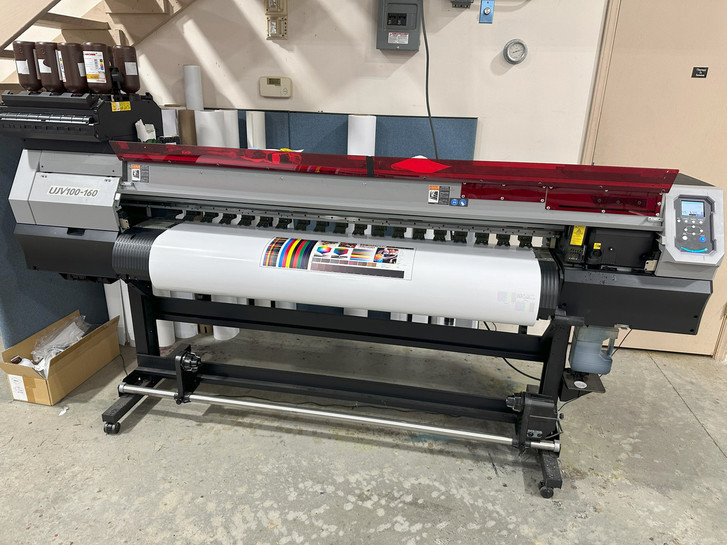
In our experience offering repair services, we have seen how crucial printed circuit boards (PCBs) are to the smooth operation of wide-format printers. These components control communication, power flow, and core functions across the entire machine. Over time, they can become worn, damaged, or unstable, leading to frustrating interruptions.
Responding early may help restore performance without full board replacement. This holds special value in Mimaki printer repair, where each board plays a critical role in day-to-day reliability.
The Brains Behind the Print: Boards That Often Need Help
Wide-format printers rely on several essential boards to run properly. These include the mainboard, headboard, slider PCB, and power board. In Mimaki models and others like it, these parts are at the center of key processes.
If any of them falter, printers may display random error messages, lose power, or stop functioning altogether. Once a board arrives for service, it typically undergoes a careful inspection to identify any damage or instability that may be causing the problem.
Clues from the Circuit: What Common Board Failures Look Like
Repair specialists often begin by examining the board under a stereo microscope. This reveals common damage types that might not be visible to the naked eye. Here’s what they usually find:
- Charred or burned componentsthat may point to overheating or electrical surges
- Hairline cracks or lifted solder jointscaused by vibration or long-term use
- Signs of corrosion or moisture damage, especially in environments with high humidity or ink mist
- Blown fuses or overloaded power partsthat cut off energy flow and shut the printer down
Even small faults in any of these areas can cause broad functionality issues. A headboard with damaged joints might cause firing failures, while a power board with a blown fuse could mean the printer will not turn on at all.
Diagnosing the Problem: How Faults Are Found and Fixed
Troubleshooting typically begins with visual inspection and comparison to the symptoms reported by the user. If there is mention of rebooting, power failure, or head misfires, the technician starts there.
Once damaged areas are located, repairs may include replacing components, fixing cracked joints, and clearing corrosion. Afterward, the board is fully tested to confirm it performs as expected. When calibration or firmware data is still present, it is preserved through the repair process. That often means the repaired board can be installed without having to reset the system or adjust the printhead alignment.
When done correctly, a skilled printer board repair can help restore operation while preserving the original configuration.
Don’t Ignore the Signs: How to Spot Trouble Before It Grows
Catching a problem early may help prevent a complete breakdown. Here are signs that may signal it is time for a closer look:
- Frequent or unusual error messages that relate to head detection, data communication, or voltage
- Inconsistent print results, such as missing lines or colors from specific channels
- Areas of the machine are feeling unusually hot to the touch, especially around the power section. Ink mist, or moisture near the board compartment, raises the risk of corrosion.
Wide-format printers work hard and are exposed to heavy use, so it is not unusual for wear to show up. The key is acting on small issues before they grow into full system failure.
Choosing Repair Over Replacement: Why It’s a Smart Move
Printer boards can be expensive to replace, and that is assuming a new one is even available. When a board is out of production, sourcing a replacement could take time or become costly. Repairing the original board is often faster and more cost-effective.
Repair services may complete the work within one business day after receiving the board. This means a printer can often be back up and running in far less time than it takes to order and install a new one.
Additionally, because firmware and calibration settings are often retained, the restored board can fit right back into the printer’s system. That can make for a smoother return to operation and avoid delays.
A Final Word: Keep an Eye on the Boards That Keep Things Moving
Boards like mainboards, head driver PCBs, and slider circuits handle the essential work of keeping wide-format printers in motion. When something in those boards begins to fail, symptoms may appear slowly or all at once.
Watching for those early signals, whether it is inconsistent print quality, error alerts, or overheating, can help catch a problem before it becomes a major disruption. Keeping boards clean and protected from environmental risks like dust or moisture may also support their longevity.
In many cases, printer board repair provides a valuable option for restoring function without replacing the entire board. That keeps operations moving and avoids the delays and costs that come with full replacement.
For operators working with wide-format printers, early attention to PCB performance might be one of the most reliable ways to avoid major downtime and keep print production steady.